How can we help?
Answers for artists and clients using Mehvara. Search below, or browse a topic.
Step-by-step guides for artists
The longer flows, one step at a time, with pictures from the app.
Getting started
The basics: what Mehvara is and how it fits into how you already work.
What is Mehvara?
Mehvara is a home for mehendi (henna) artists in Sri Lanka. Clients can find artists, browse their designs and send a booking request. Artists get a public profile and portfolio, a calendar, quotations and invoices, and reviews, all in one place instead of scattered across Instagram, WhatsApp and phone calls. Mehendi is where we're starting, with more beauty specialties on the way.
Do I need to download an app?
No. Mehvara runs in your browser, on your phone or your computer. There's nothing to install.
Which areas does Mehvara cover?
Sri Lanka for now, with prices shown in LKR. We plan to open up to more countries later.
Does Mehvara replace WhatsApp?
No. Finding an artist, booking, quotations and invoices happen on Mehvara, and the detailed design conversation still happens on WhatsApp. Artists get one-tap buttons that open WhatsApp with the booking details already filled in.
For clients
Booking an artist, managing what you've booked, and paying.
Do I need an account to book an artist?
No. Browsing artists and designs is open to everyone. To request a booking, you fill in your name, phone number, email, the date and time you'd like and the number of people right on the artist's profile. You can also pick the artist's packages you're interested in and add a photo of a design you like. Before sending, you tick a box to agree to our Terms of Service and Privacy Policy. There's no password and no separate sign-up step.
What happens after I send a booking request?
The artist gets your request and usually reaches out on WhatsApp to talk through the details. They then send you a quotation with the price. Once you accept it and the artist confirms, your booking is confirmed.
How do quotations work?
A quotation is the artist's itemized price for your booking. You'll get a link to it on WhatsApp, and by email if you gave one. You can accept or decline it. Accepting doesn't confirm the booking on its own: the artist confirms it after you accept. Each quotation shows the date it's open until, and it also closes once your event date has passed. If it expires before you reply, message the artist: they can reopen it or send a new one.
How do I check on or manage a booking?
Go to Manage a booking and enter the email you booked with. We'll email you a 6-digit code to sign in, no password needed. From there you can see your bookings, quotations, invoices and reviews.
My artist booked me with only my phone number. How do I sign in?
Signing in works by email. Ask your artist to send you an account setup link on WhatsApp. It lets you add and verify your email, and after that you can sign in any time from Manage a booking.
How do I pay the artist?
Directly, by bank transfer, cash or however you and your artist agree. Mehvara doesn't hold or process payments. Your artist records payments on your invoice, so you can always see what's paid and what's still due.
What if an artist asks for a deposit?
Some artists ask for a deposit before they confirm a booking. The quotation shows the deposit amount and the artist's bank details. You transfer the deposit, then accept the quotation by entering the amount, your bank reference and a photo of the receipt. The artist checks it and confirms your booking, or asks you to resubmit if something doesn't match.
Can I change the date or cancel my booking?
Message your artist. They can move your booking to a new date or time, and you'll see the change in My Bookings. If you need to cancel, let your artist know and they'll cancel it on their side.
How do I leave a review?
Once your artist marks your booking completed, we email you a link to review it (if you gave an email). Or sign in through Manage a booking and open the booking from My Bookings. Leave a star rating and a comment. You can edit your review for 48 hours after posting it.
Can I message the artist directly?
Yes, on WhatsApp. Once you've sent a booking request, your artist will usually message you there with your booking details, so you can work out the design the way you already do.
How do I save an artist for later?
Tap the heart on an artist's card, or Save artist on their profile. You'll need to be signed in through Manage a booking. Your saved artists appear under Saved Artists.
For artists & pricing
Running your business on Mehvara, and what Free and Pro include.
How do I join as an artist?
Register your business with your business name, contact details, country and city, agree to our Terms of Service and Privacy Policy, then confirm your email. Our team reviews every new account before you can log in.
How do I get verified?
Every new artist account is reviewed by our team, and we may reach out to confirm your business is genuine. This is what lets clients trust they're booking a real artist. We'll email you as soon as you're approved.
What happens the first time I log in after I'm approved?
You'll go through three quick steps: your profile (including your profile link), your packages and your portfolio. You can skip any step and come back to it later, and change everything afterwards in Business Settings, Packages and Portfolio. The last step gives you your profile link to copy or share on WhatsApp.
How do I add or remove designs in my portfolio?
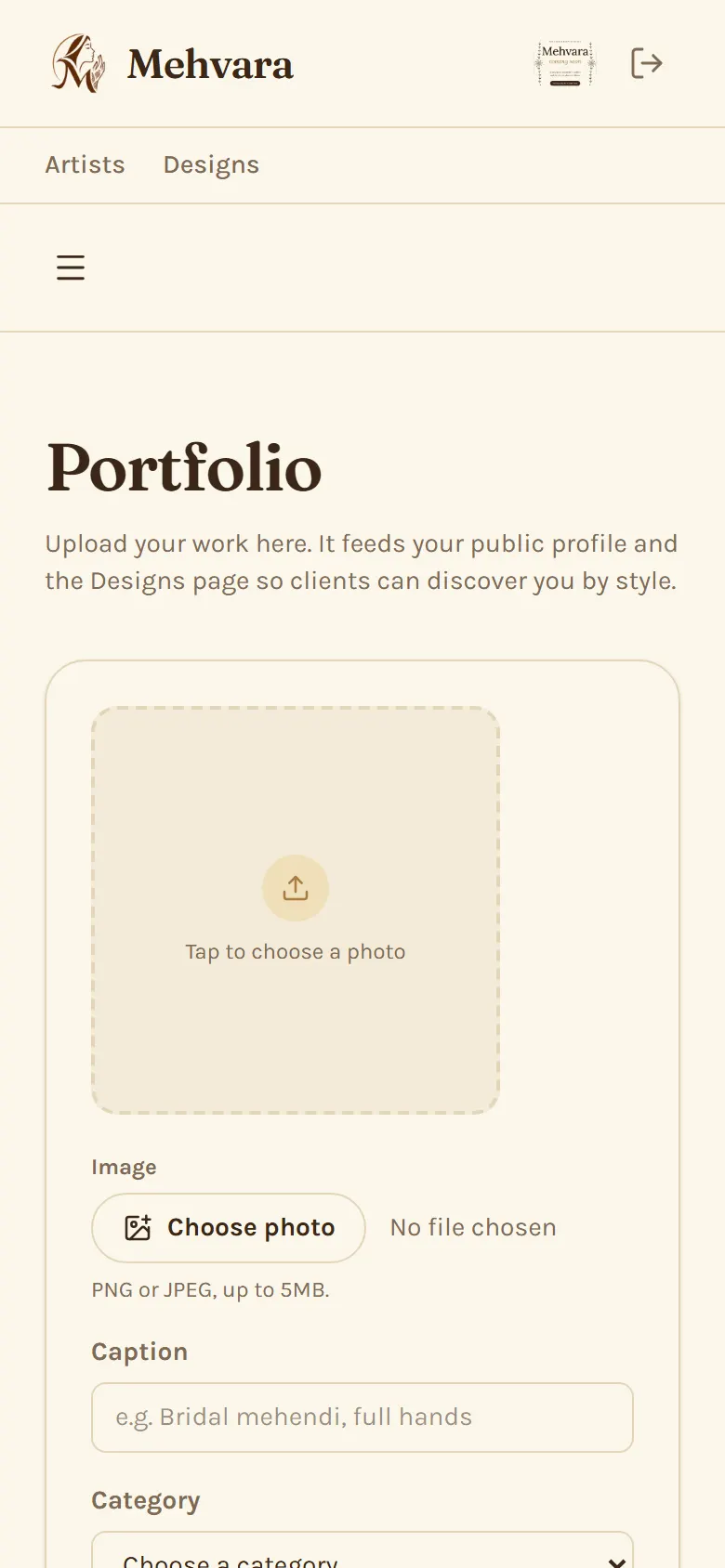
On your Portfolio page, choose a photo, add a caption and pick a category (both are needed, so clients can find your work on the Designs page). Free includes up to 5 designs and Pro up to 10. Deleting a design removes it permanently, so it can't be brought back.
My verification wasn't approved. What now?
Contact us and we'll explain why and what to update so we can take another look.
I forgot my password.
Use Forgot password? on the artist login page. We'll email you a link to set a new one.
Why won't my new password work?
Passwords need at least 12 characters, and can't be a common password, one that's easy to guess (like a keyboard pattern or your own name or email) or one that has shown up in a data breach. You don't need symbols or capitals: a few unrelated words together, like a short phrase only you would think of, work well. The meter under the password box tells you when it's strong enough.
It says too many attempts. What do I do?
After several wrong passwords or codes, Mehvara pauses sign-in for a while to protect your account, and may ask you to tick a CAPTCHA check. Wait for the time shown and try again, or use Forgot password? on the artist login page.
Can I add bookings I already have from WhatsApp or Instagram?
Yes. Use Log a booking for a request you've discussed off Mehvara, or Log a confirmed booking for one that's already agreed and priced, like the bookings you had before joining.
Is Mehvara free to use?
Yes. Free covers the whole booking loop: your public profile and portfolio (up to 5 designs), booking requests, calendar, quotations and invoices, reviews, and WhatsApp handoff. The core of your business never sits behind a paywall.
What does Pro add, and what does it cost?
Pro is LKR 3,000 a month and adds deposit protection on quotations, earnings and payments dashboard, more portfolio space and team and employees. See the Pricing page for the full comparison.
How do I upgrade to Pro?
Fill in the form on the Pricing page. We'll reach out with payment details, and Pro is switched on as soon as payment is confirmed. There's no online payment yet.
Can I go back to Free?
Yes. Contact us and we'll move your account back to Free. Your bookings, quotations and invoices stay exactly where they are.
Does Mehvara take a commission on my bookings?
No. Money moves directly between you and your client. Mehvara never processes payments or takes a cut.
Can I bring in helpers or work with other artists?
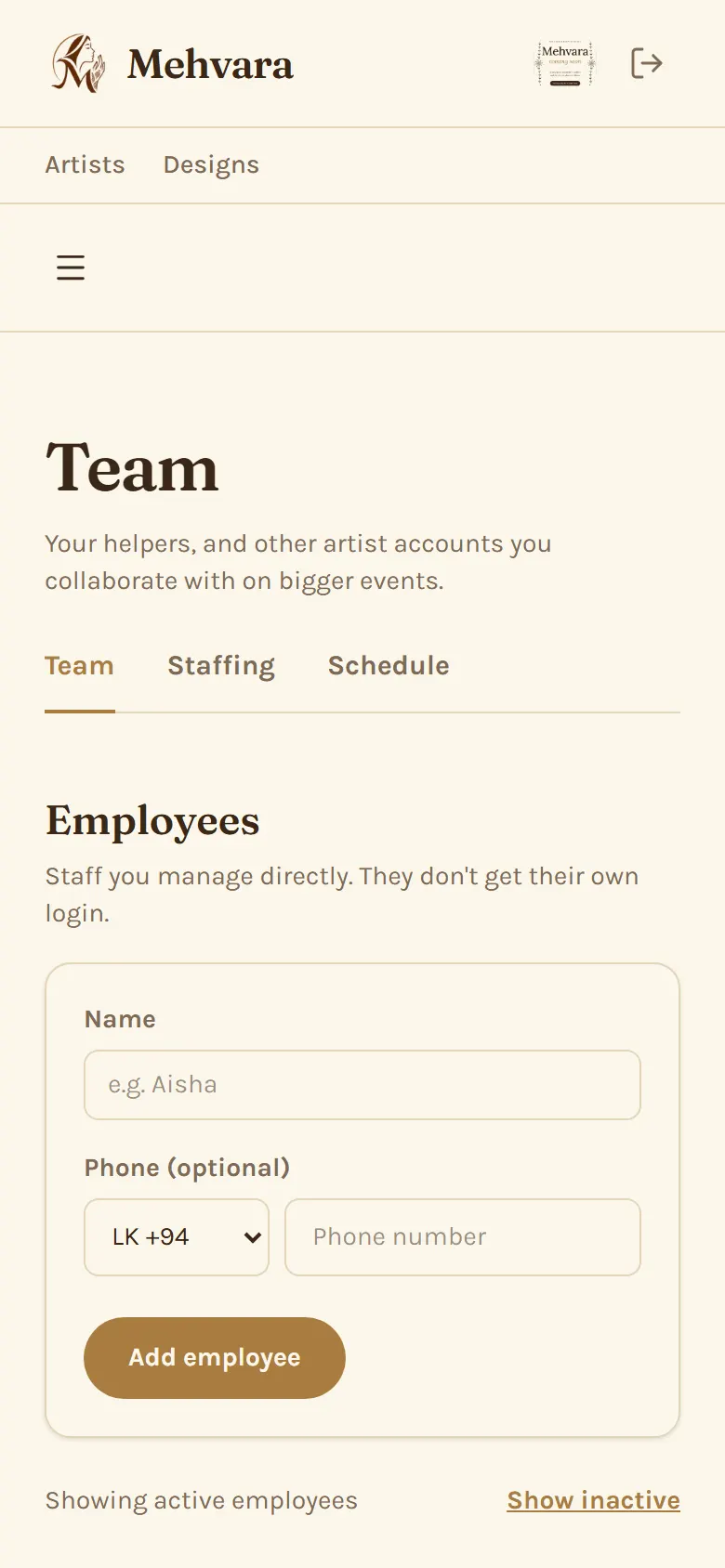
On Pro, you can add employees (they don't need a login), assign helpers to bigger bookings and invite other artists to collaborate. If another artist invites you, you can accept and join their bookings even on Free.
Artists: using Mehvara
How the everyday work fits together, from a new request to a paid booking.
How does a booking go from a request to confirmed?
A request arrives from your profile link (you get an email) or you log one yourself with Log a booking. Talk it through with the client using Reach out to client, which opens WhatsApp. Then send a quotation from the booking. Once the client accepts it (and sends the deposit, if you asked for one), you confirm, and the booking becomes Confirmed. There's no way to confirm a request without a quotation, except Log a confirmed booking for one that's already agreed and priced.
How do I send a quotation?
Open the booking and choose Send quotation, and give it a title. Any packages the client picked are already added at your prices, and you can change, add or remove lines. Each line has a name (filled in from the package) and an optional description, and you can edit both. Share the quotation link on WhatsApp; if the client gave an email, they get it by email too. They can accept or decline it from the link. A quotation stays open for the number of days you choose in Business Settings (3 by default), and never past the event date. If the client doesn't reply in time it expires: extend it by 3 days, follow up on WhatsApp, delete it permanently (only while the client hasn't replied), or decline the booking. You can revoke a quotation while it's sent or accepted, then send a new one.
How do invoices and payments work?
After you confirm a booking, create an invoice from it (Generate invoice on the booking, or Create invoice on the confirmed quotation) and share the link with the client. Clients pay you directly, by bank transfer or cash; Mehvara never handles the money. Record each payment on the invoice and it shows as Unpaid, Partially paid or Paid in full. When a payment clears the invoice, the client gets a paid-in-full receipt by email. Once it's paid in full, a Complete booking button appears on the invoice (and on the booking); completing it closes the booking, and the client gets an email asking for a review.
How do I manage my availability?
You're open every day by default. To block time off, open your Calendar, tap Month, pick the day, then tap each hour you can't work (tap it again to unblock it), or use Block whole day. Clients will only see the times you're free. A booking request holds its hours so no one else can book them, until you confirm it or it's declined or cancelled, which frees them again. Confirmed bookings show on the Calendar too, and you can reschedule a booking from its page.
What does my Dashboard show?
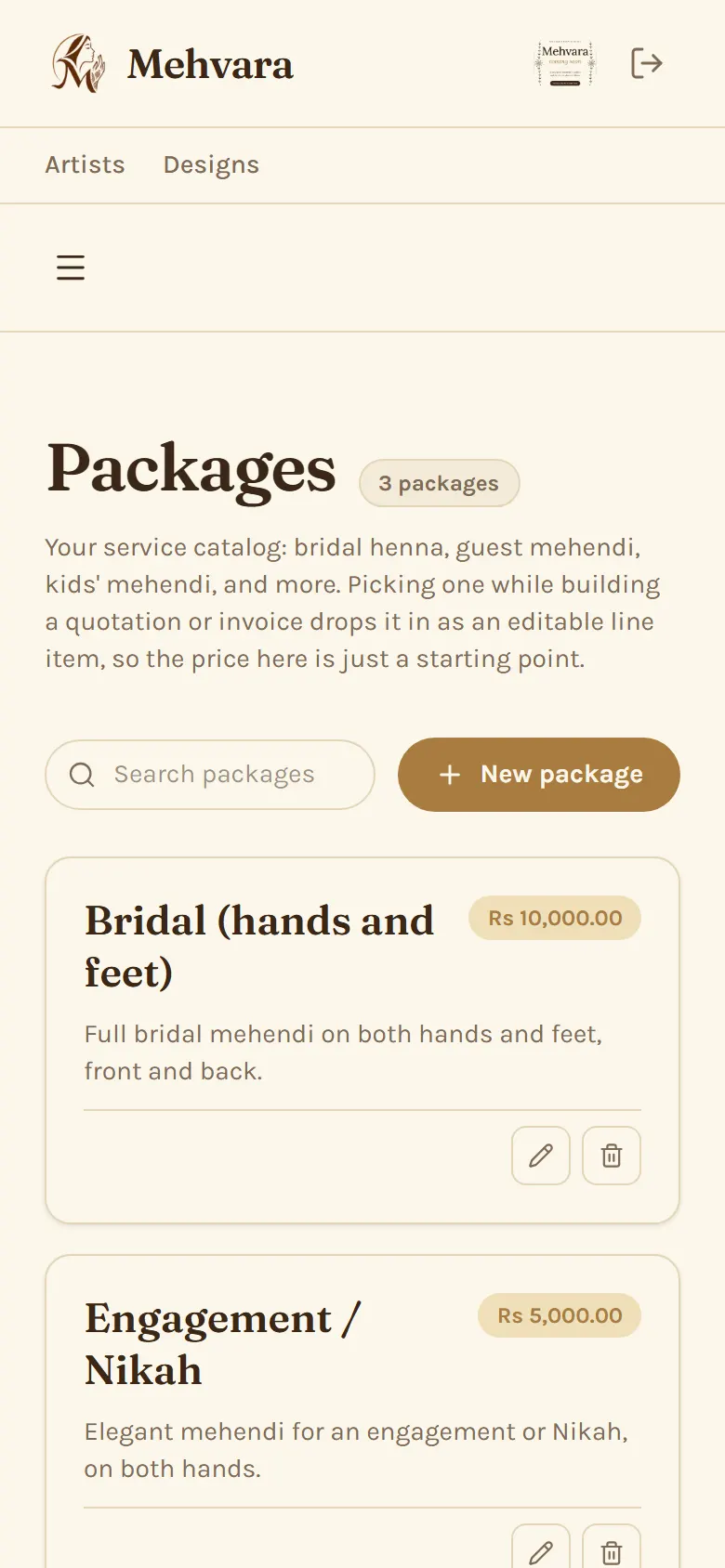
Your upcoming confirmed bookings, requests waiting for your reply, and anything else that needs you, like a deposit to review or a collaboration invite. New artists also see a Getting started checklist there until it's done or hidden.
What are packages for?
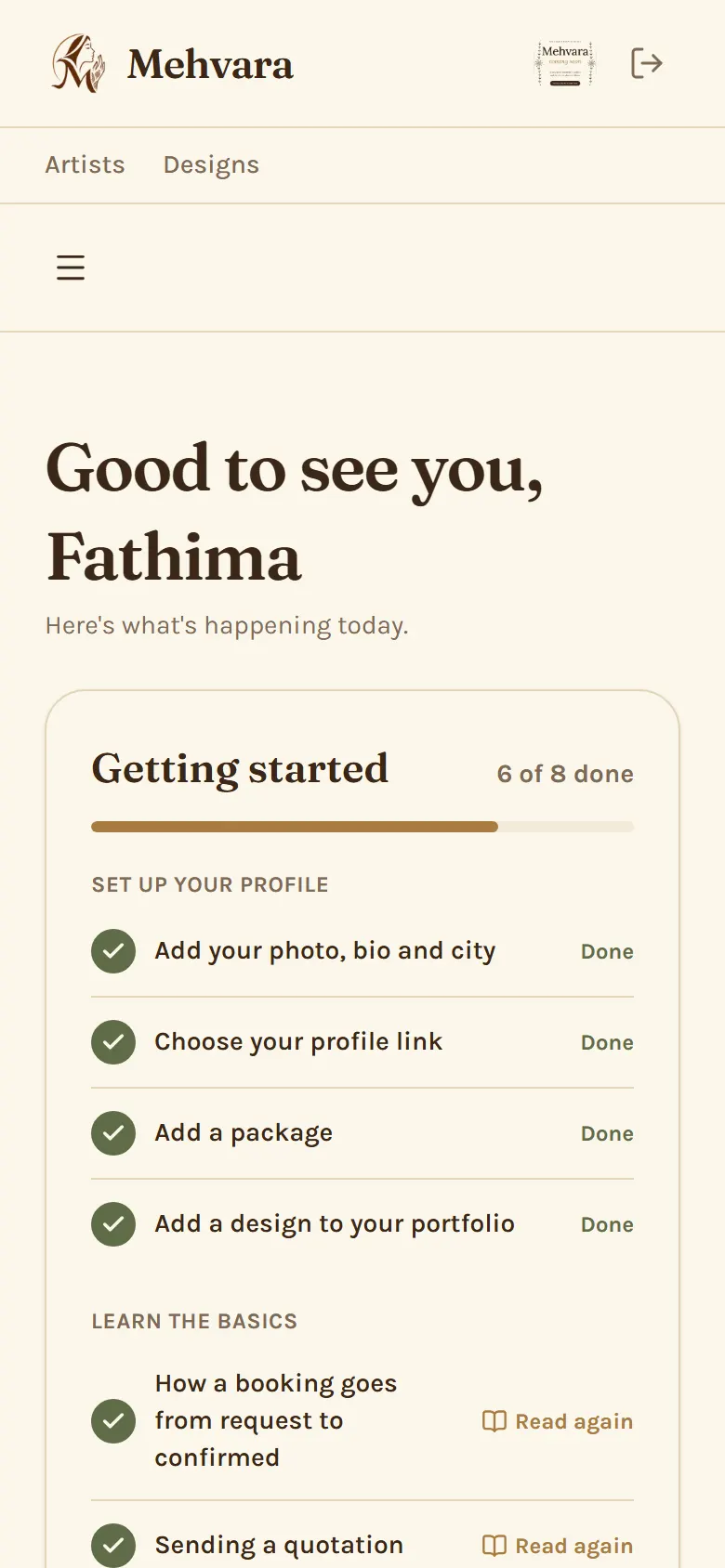
Packages are the services you offer, like bridal or guest mehendi, with a starting price. Clients can pick them when they request a booking (they see the names and descriptions, never your prices), and they're added to your quotation for that booking at your prices, ready to change.
How do reviews work for artists?
A client can review a booking once it's completed. Reviews show on your public profile. You can reply to each one, and your reply is public too, so it's a good way to show new clients how you look after people.
Where do the numbers on Earnings come from?
Earnings is a Pro feature. Everything on it is worked out from the payments you record on your invoices, so nothing needs entering twice. Keep your invoices up to date and Earnings stays accurate, including what's still outstanding.
Trust & safety
How we keep bookings genuine and your information private.
Is my information safe?
We only ask for what's needed to make a booking work. Artists decide what appears on their public profile, and an artist's bank details are only shown on a quotation that asks for a deposit.
Why do I have to tick the Terms and Privacy box?
When you register as an artist or send a booking request, we ask you to agree to our Terms of Service and Privacy Policy. Both open in a new tab, so you won't lose what you've typed. We keep a record of when you agreed and which version, and you only need to agree once.
Are the reviews real?
Yes. A review can only be left by a client with a completed booking with that artist, so every review comes from a real booking.
Something went wrong with a booking. Who do I contact?
Talk to your artist first, since most things can be sorted out directly. If that doesn't work, contact us and we'll help.
Still need help?
Can't find your answer above? Reach out and we'll get back to you, usually within one business day.