Ask for a deposit
Ask a client to pay part of the price before you confirm (Pro).
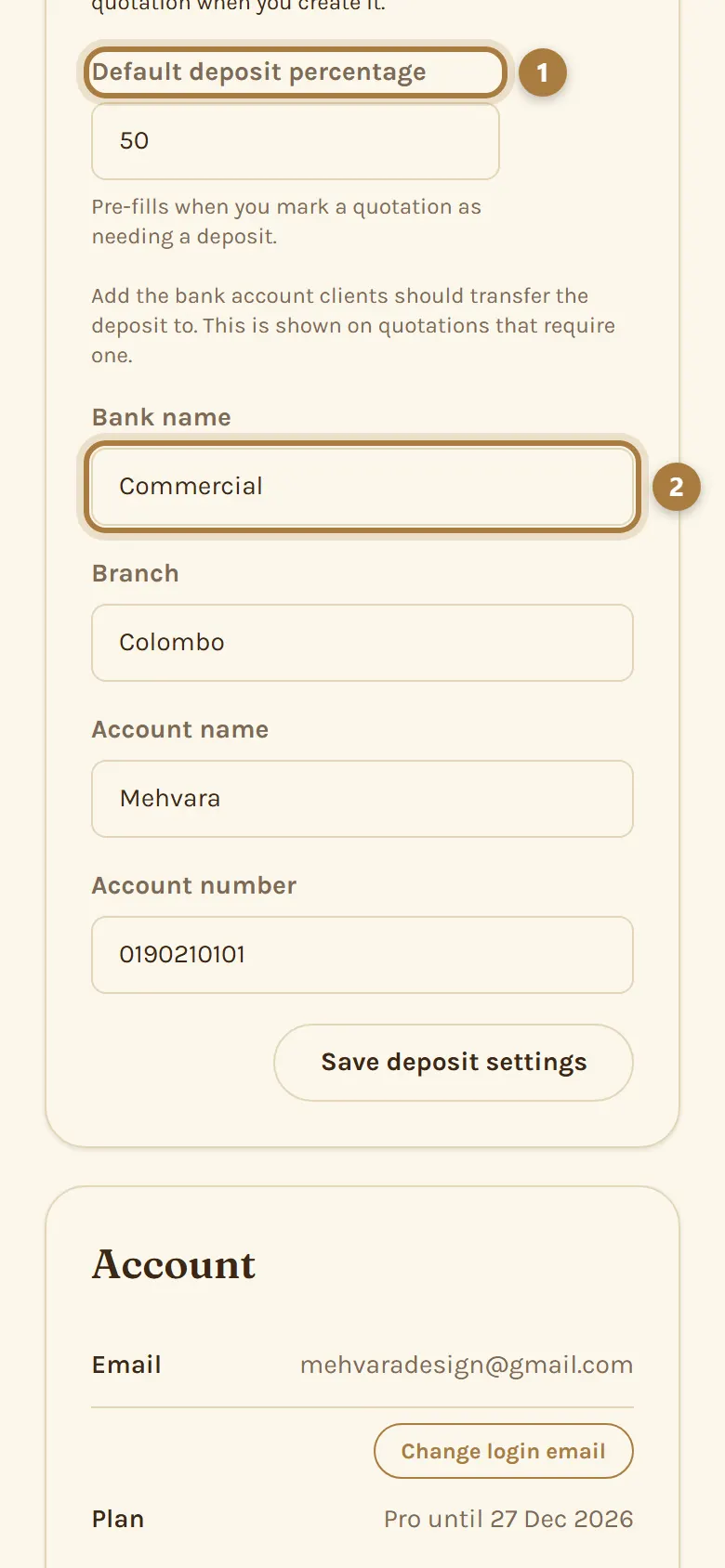
Step 1: Add your bank details
In Business Settings, add the bank account clients should pay into. You can also set a default deposit percentage.
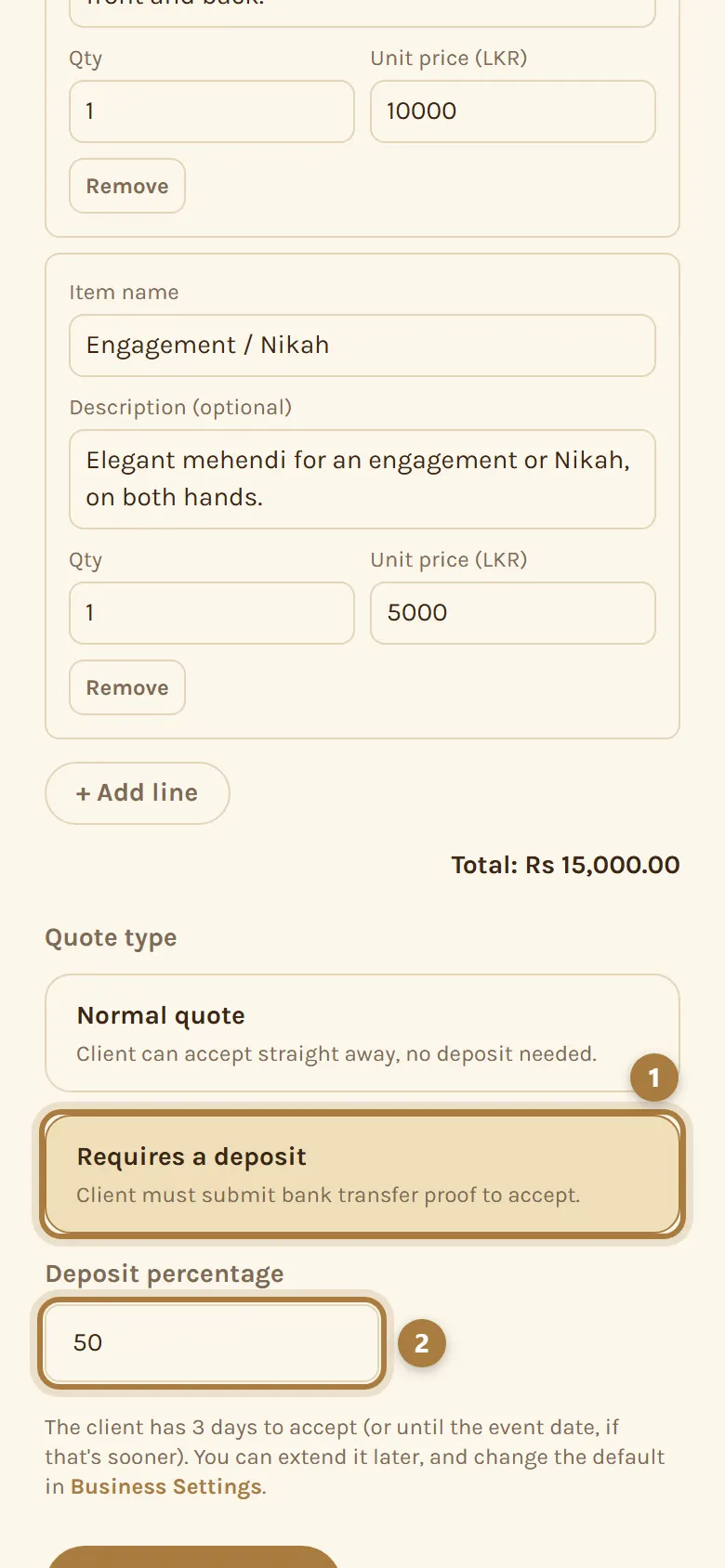
Step 2: Turn it on for this quotation
On the quotation form, choose the deposit option and set the percentage. Only this quotation asks for a deposit; others stay normal.
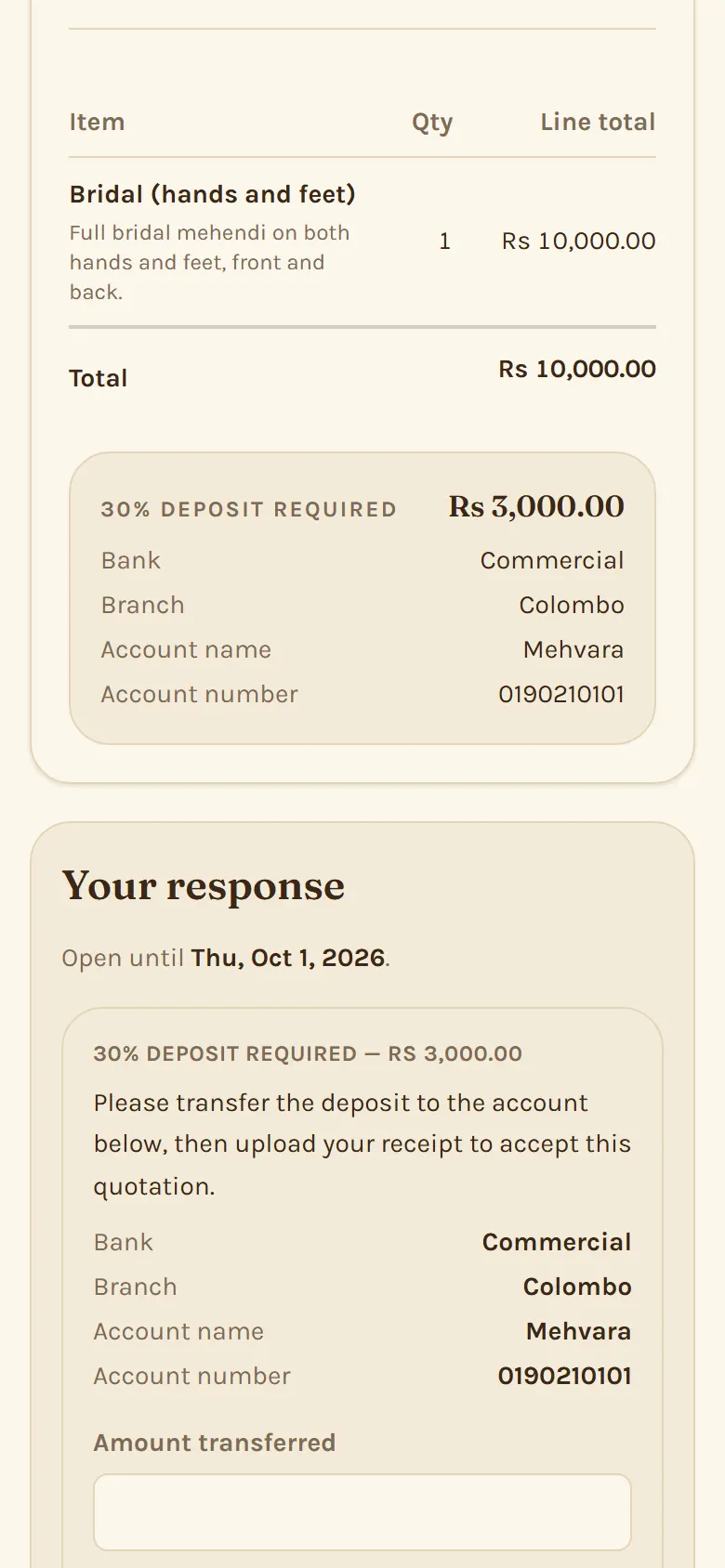
Step 3: The client pays you directly
They see your bank details on the quotation, transfer the deposit to you, and accept by entering the amount, their bank reference and a photo of the receipt. Mehvara never holds the money.
Step 4: Check it and confirm
You'll see Deposit to review on your Dashboard. Check the payment reached you, then confirm the booking, or ask them to resubmit if something doesn't match. Confirming also creates the invoice for the booking.
More guides
Still stuck? Contact us.